Electrical schematics that work before you wire them.
Draw the schematic, simulate it, build the panel in 2D and 3D, size the cables and hand over the quote and the project file. Everything comes from the same project.
Try it free with the examples · 14 days of Pro when you create your account, no card needed · your projects stay on your computer
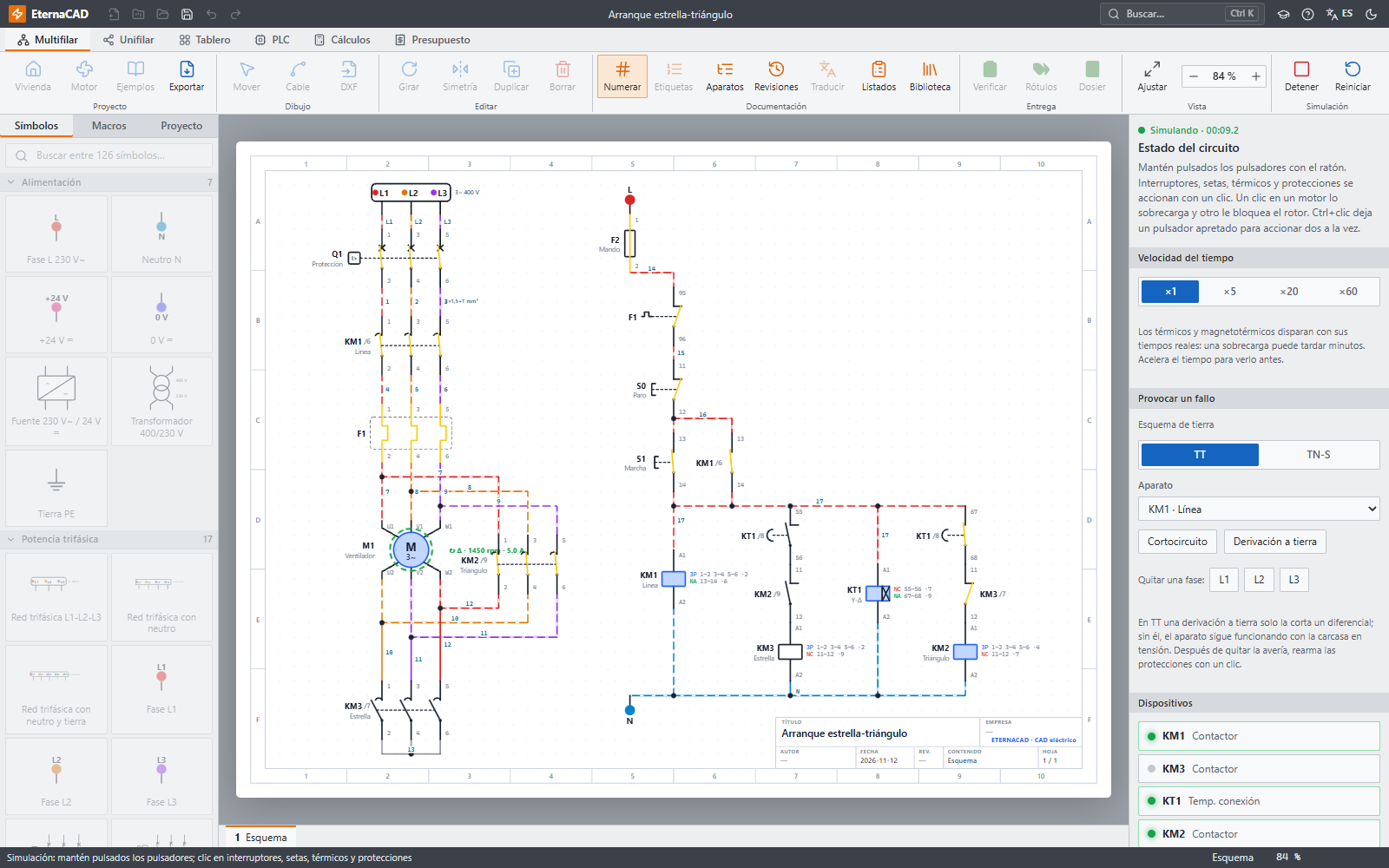
See it working.
Recorded from the real program: it draws the schematic, simulates it, builds the panel in 3D, programs the PLC and sizes the cables.
Everything you do in the workshop, before you get there.
EternaCAD does more than draw: it understands the circuit. That is why it can simulate it, place it in the panel, wire it and produce the lists without you copying anything by hand.
Press start and watch how it behaves.
Every wire takes the colour of its phase and the current flows through the circuit. Motors speed up with their torque and protective devices trip on their real curves.
- Self-holding circuits, timers, reversing starters and star-delta
- Overload relays, motor protectors, circuit breakers and fuses with their trip times
- Short circuits, earth faults and phase loss to practise fault-finding
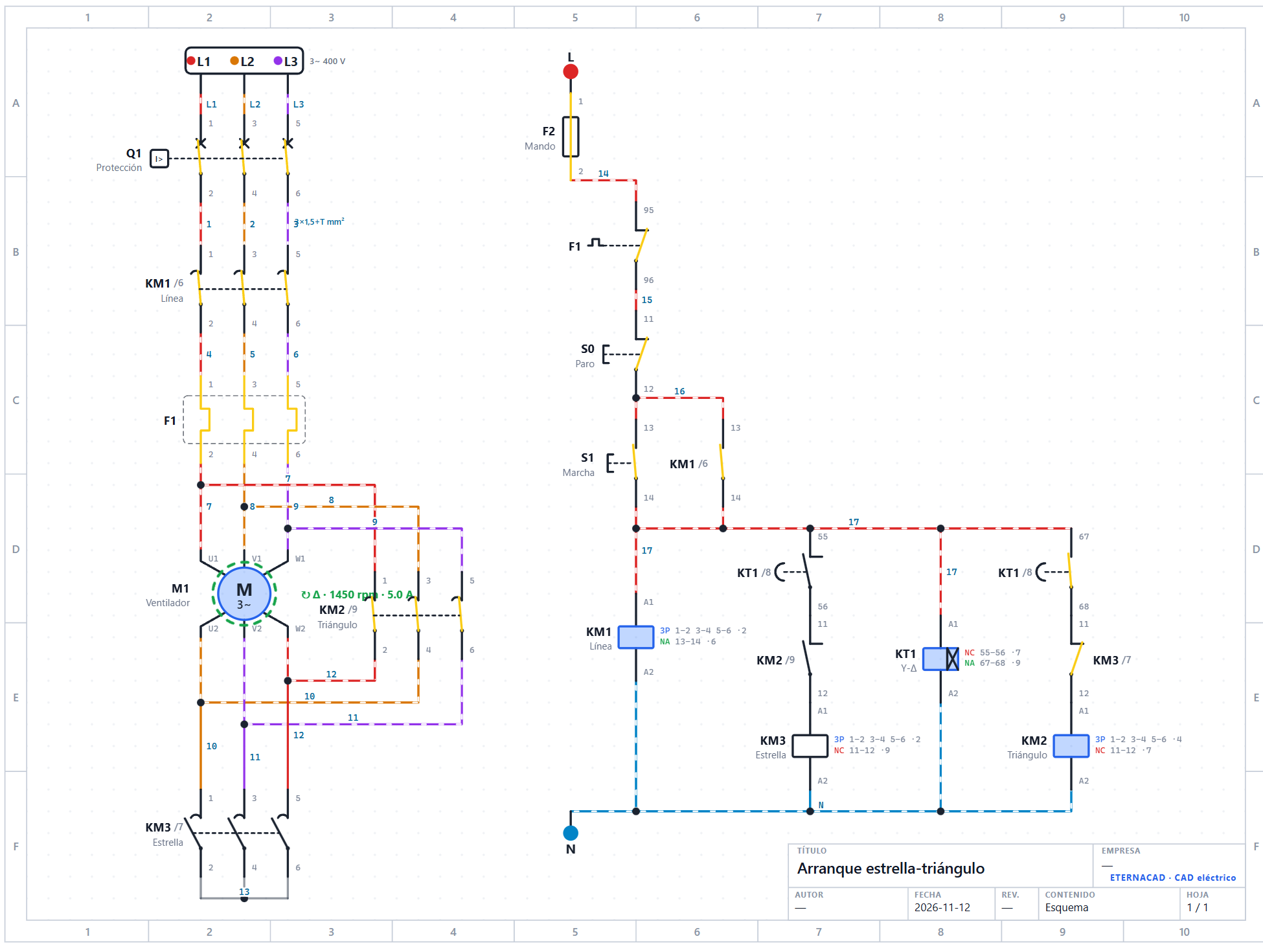
The panel comes out of the schematic, placed and wired.
It recommends the enclosure, places the devices on the DIN rails and routes the wires through the trunking with standard colours and cross-sections.
- Modular boxes and cabinets with mounting plate, or custom-sized
- Door with pilot lights, push buttons and emergency stops in place
- Wiring list with origin, destination, colour, cross-section and length
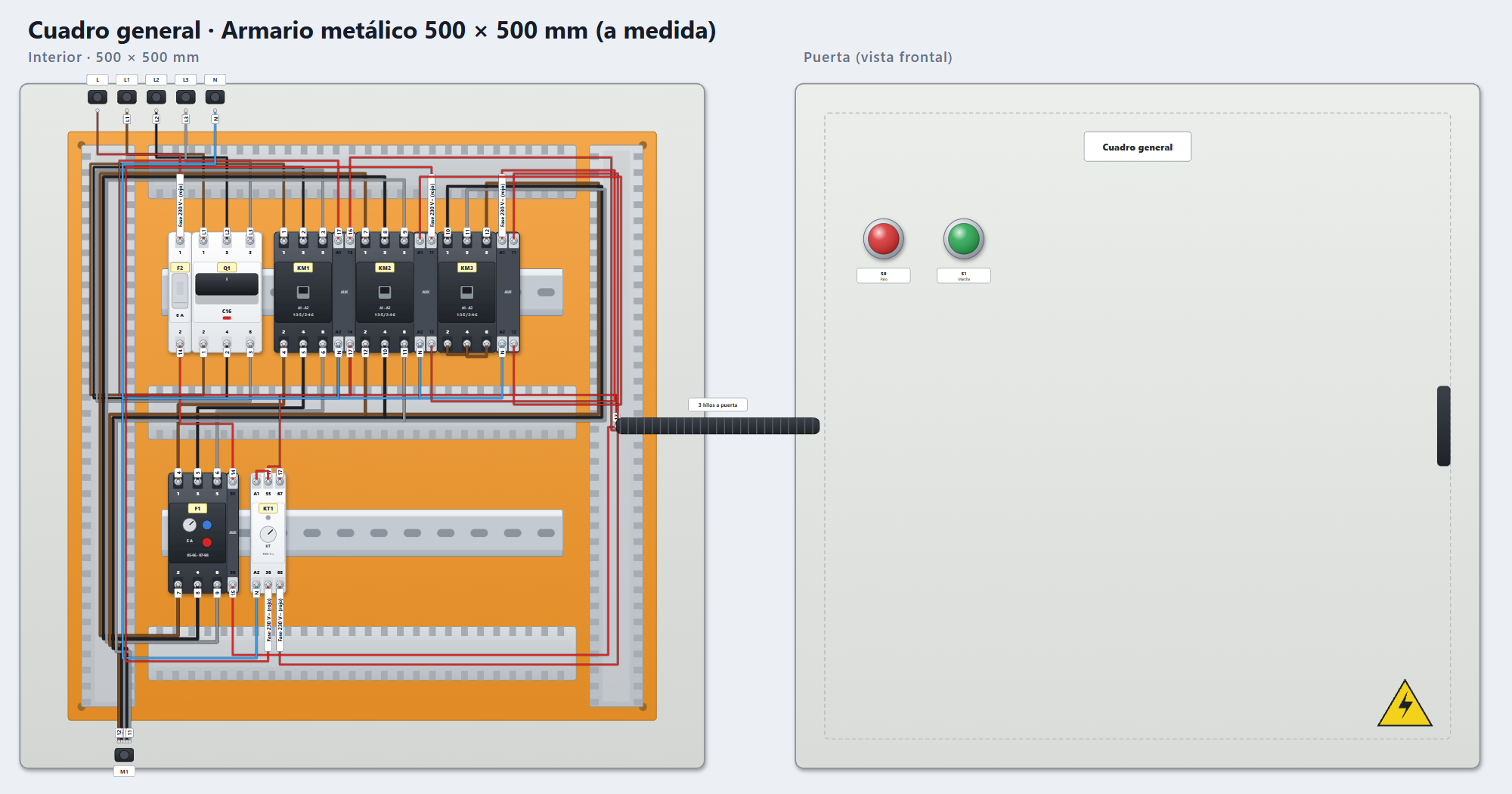
Turn it, open the door and check it fits.
The same panel, built in 3D. You see every device at its real depth, and it warns you if something does not fit or hits the door before you order the cabinet.
- Cabinet depth chosen when you create it, automatic or custom
- Trunking with and without covers, wires and the door cable loom
- Image for the quote and a GLB model for other programs
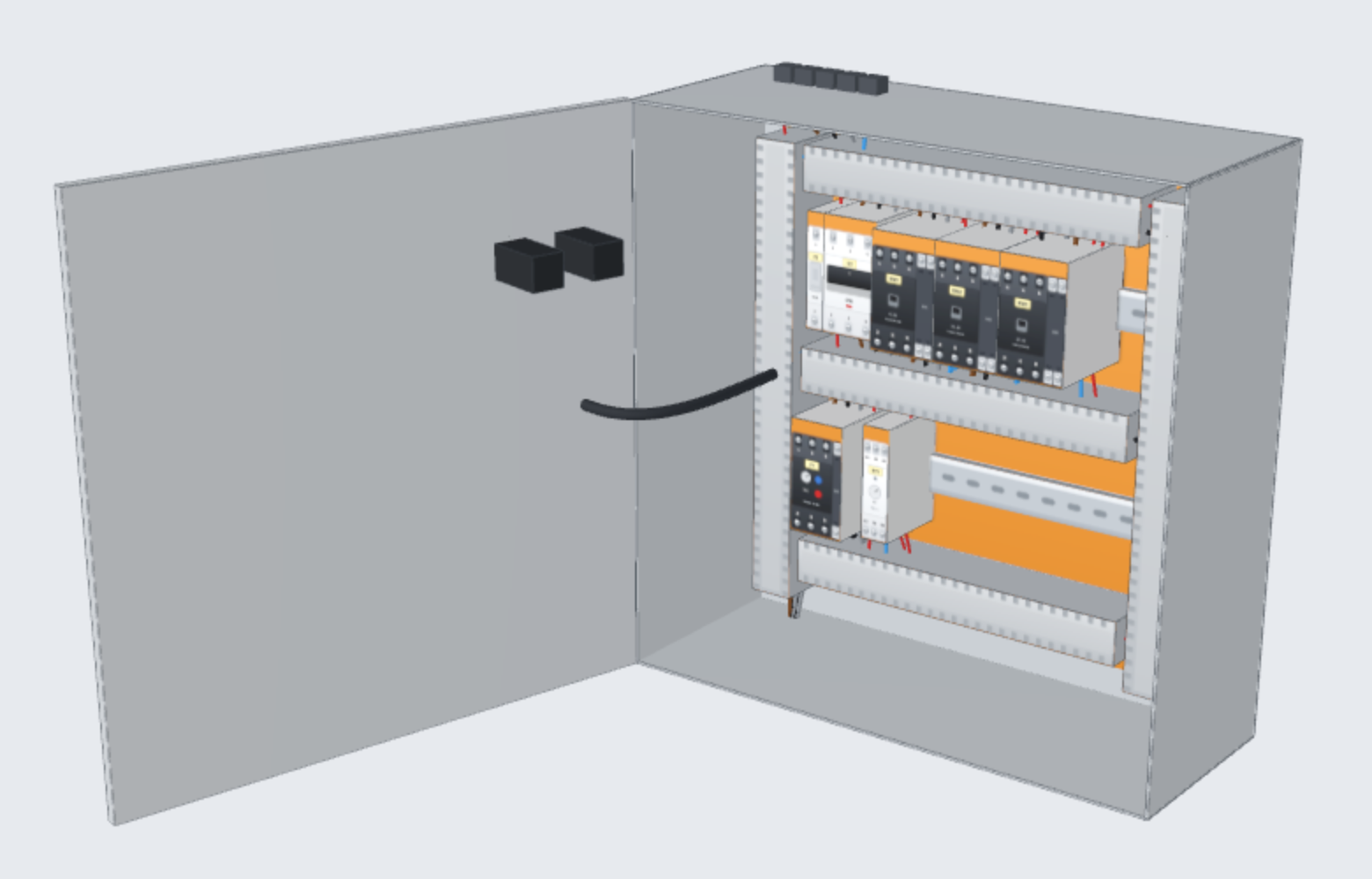
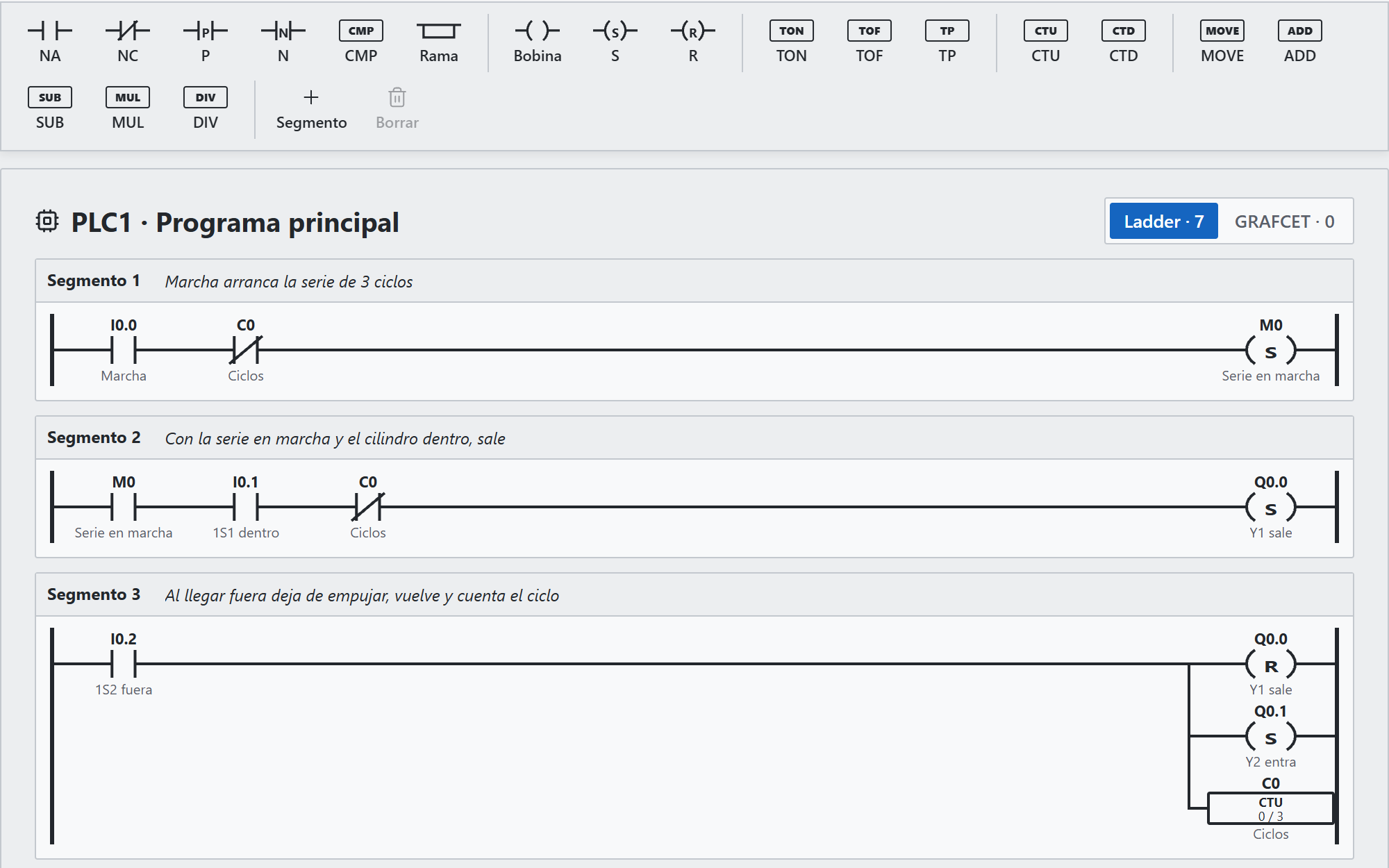
Program the PLC like you do in the workshop.
Ladder editor with an instruction bar, drag and drop and keyboard shortcuts, plus GRAFCET. The program is simulated together with the schematic.
- Contacts, coils, S/R, edges, TON, TOF, TP, counters and maths
- Inputs and outputs named after what is wired to them
- Tags ready to import into TIA Portal
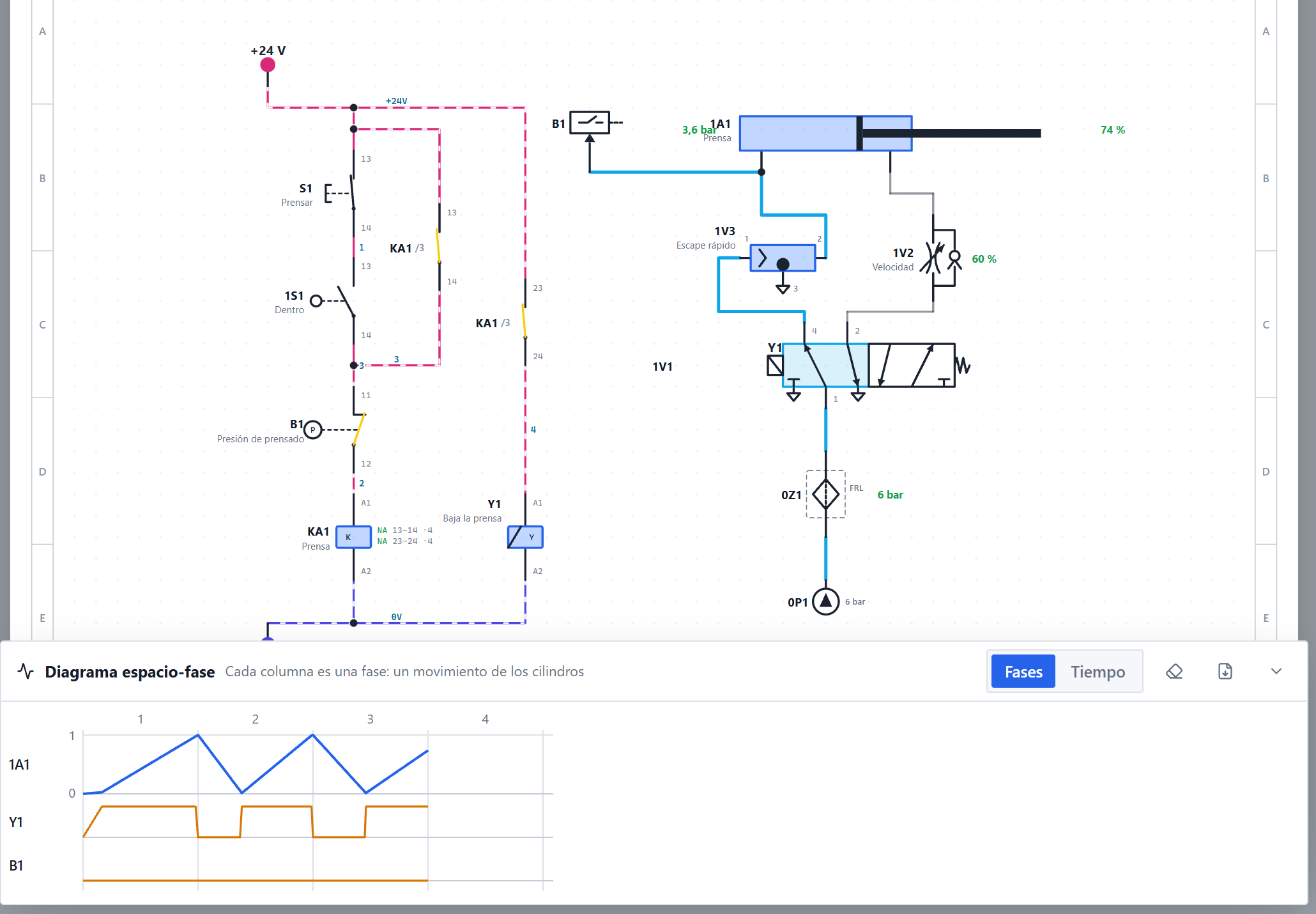
Electro-pneumatics in the same schematic.
Cylinders, valves, regulators and service unit with ISO 1219 symbols. The solenoid shifts the valve and the rod extends with its stroke time.
- Pressurised tubes in blue and limit switches that actuate by themselves
- Displacement-step diagram drawn while you simulate
- Pure pneumatic controls: two-hand, simultaneity and selector
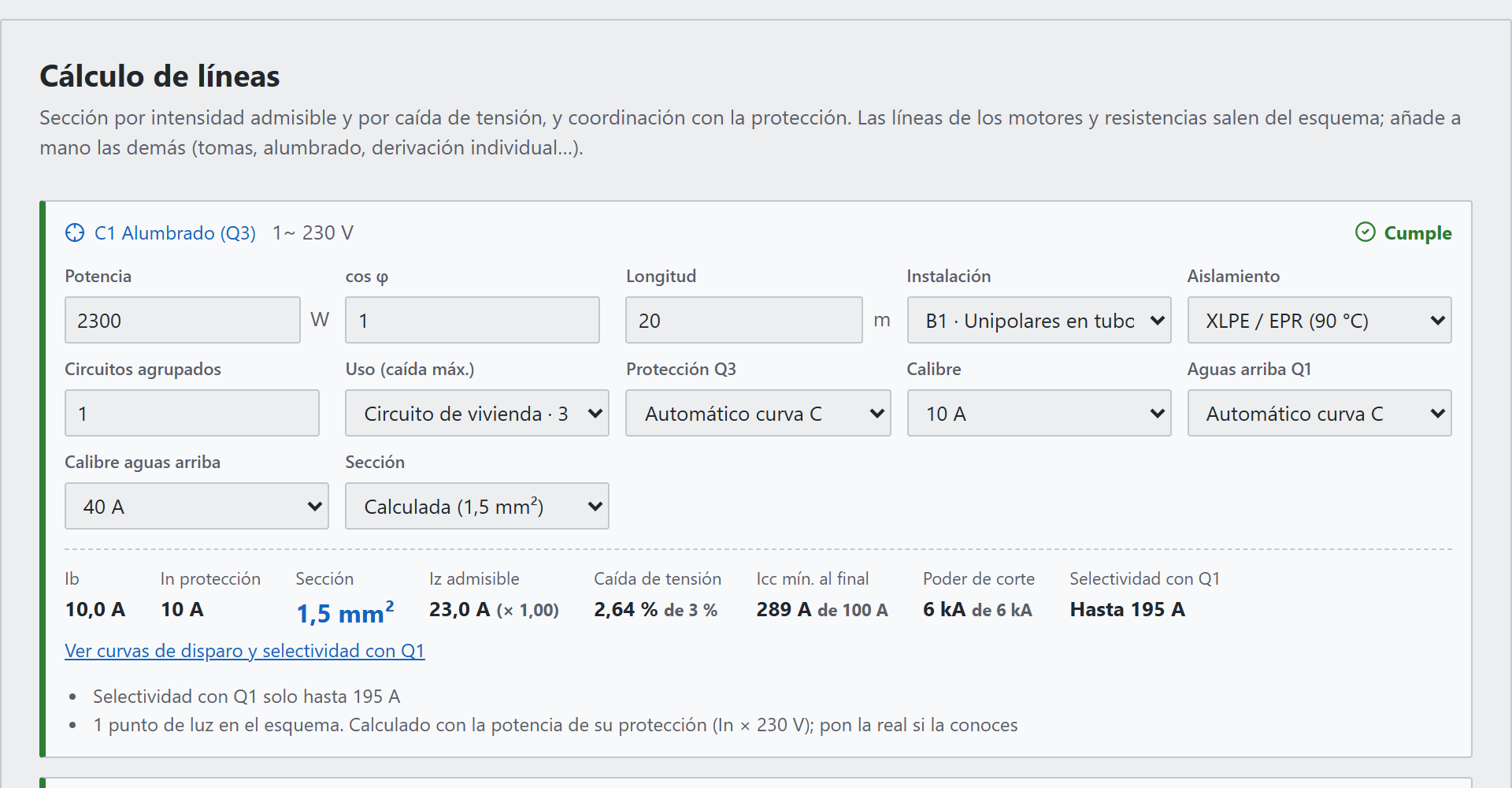
Cross-sections and voltage drops, justified.
One line for each motor or load in the schematic, with its protection. Cross-section by current-carrying capacity and by voltage drop, and coordination with the protective device. Based on the Spanish low-voltage regulations (REBT).
- UNE-HD 60364-5-52 with temperature and grouping factors
- Voltage-drop limits from ITC-BT-19, 15 and 14; motors at 125 %
- Short circuit at the end of the line, breaking capacity and selectivity
And all the paperwork, without copying anything by hand.
The lists, the single-line diagram and the quote update themselves when you change the schematic.
Automatic single-line diagram
Generated from the power circuit and always up to date. Click a device to jump to it in the multi-line schematic.
Numbering and references
Wires numbered by potential, terminals, cross-references between sheets and automatic renumbering.
Lists
Bill of materials with manufacturer and part number, terminal plan, connections and wiring. In PDF and CSV.
Quote for the customer
Items taken from the schematic and the panel, your cost price list, margin, labour and VAT, in a PDF with the image of the panel.
Project file and revisions
The whole project in one PDF with a table of contents, installation checks and revisions A, B, C with their copy.
Works with everything else
Imports and exports DXF, loads BMEcat/ETIM catalogues, exports tags for TIA Portal and translates the project texts.
From schematic to customer, in five steps.
Draw
Drag the symbols and join the pins. Or start with the home or motor wizard.
Simulate
Test start, stop and faults. The checker warns you about what you missed.
Build the panel
Enclosure, devices and wiring come out by themselves. Check it in 3D.
Calculate
Cross-sections, voltage drops and protective devices.
Hand over
Quote, project file, labels and lists in PDF.
Try it free. Pay when you do your own projects.
With Free you see everything it does using the examples. To create, save and hand over your own projects, choose a plan. When you create your account you get 14 days of Pro free, no card needed.
Free
To see how it works before you decide
- All 15 examples, to explore and simulate
- Schematic, simulation, PLC, pneumatics and 2D and 3D panel
- The guided tour and the manual
- No projects of your own
- Does not save or export files
Student
To learn and practise at vocational school and university
- Your own projects, unlimited
- Schematic, simulation, PLC, pneumatics and 2D and 3D panel
- Cable sizing, lists and export to PDF and DXF
- PDFs with the free version mark
- No customer quote
Pro
For installers, engineering firms and panel builders
- Everything, no limits
- Clean PDFs to hand over
- PDF quote for the customer
- Full project file with revisions
- Works offline
No subscription? One-time payment of : yours forever, with every new version.
A company with several seats or a training centre?
We prepare licences for the whole team or for the classroom.
Purchases open very soon. Meanwhile, download it and try it free: when you create your account you get 14 days of Pro.
Prices include your country's taxes. Payments are handled by Paddle, which issues the invoice. Cancel whenever you like and, if you are not convinced, you have 14 days to ask for a refund.
Install it on your computer or use it in the browser.
It is the same program. The Windows version works offline and saves projects as files.
Windows
Installer for 64-bit Windows 10 and 11. No administrator rights needed.
Download the installerIf Windows shows «Windows protected your PC», click More info and then Run anyway. It appears because the installer is new and Windows does not know it yet.
Browser
Nothing to install, in Chrome, Edge or Firefox. Projects are saved in your browser and you can download them as files.
Open EternaCADCommon questions.
Do I need an internet connection?
The Windows version works offline. If you have a paid plan, the licence is checked when you connect and stays valid for 14 days offline.
Where are my projects saved?
On your computer. On Windows, as files you save wherever you like; in the browser, inside the browser itself, and you can download them as files. Your schematics are not uploaded to any server.
Which standards does it follow?
IEC symbols for electrical work and ISO 1219 for pneumatics. Calculations follow the Spanish low-voltage regulations, REBT (UNE-HD 60364-5-52 and ITC-BT-19, 15, 14, 25 and 47), and protective devices trip on their curves: B, C and D for circuit breakers, gG for fuses and IEC 60947-4-1 trip classes for overload relays and motor protectors.
Can I take the drawings to AutoCAD or TIA Portal?
Yes. It exports layered DXF in millimetres, PDF, PNG and SVG, and imports DXF. From the PLC it exports the tags ready to import into TIA Portal.
Is it good for teaching?
Yes: students see the current, cause faults and check their schematic before wiring it. There are 15 examples, a guided tour and a searchable manual (F1 key). For a whole classroom, contact us.
What can I do with the free version?
Try everything with the 15 examples: edit the schematic, simulate it, see the PLC, the pneumatics and the panel in 2D and 3D. You cannot create, save or export your own projects. For that, create your account: you get 14 days of Pro free, no card needed, and then you choose a plan.
How do I pay and cancel?
Payments are handled by Paddle, which charges you, applies your country's taxes and sends you the invoice. From Paddle's email you can change your card or cancel whenever you like. When you cancel you keep your plan until the end of the paid period. If you are not convinced, you have 14 days from purchase to ask for a refund, no questions asked.
How do I activate the plan in the program?
Buy with the same account you use in EternaCAD. Then, in the program, open Account and click Refresh licence.
Build your next panel in EternaCAD.
Try it free with the examples and create your account to get 14 days of Pro.